> For the complete documentation index, see [llms.txt](https://help.ppgg.in/llms.txt). Markdown versions of documentation pages are available by appending `.md` to page URLs; this page is available as [Markdown](https://help.ppgg.in/docs/admin-console/manage-members/account-recovery/account-recovery-enrollment.md).
# 设置账户恢复
{% hint style="success" %}
对应的[官方文档地址](https://bitwarden.com/help/account-recovery-enrollment/)
{% endhint %}
[账户恢复](/docs/admin-console/manage-members/account-recovery/about-account-recovery.md)可帮助组织成员重新获得对其账户的访问权限。此企业策略激活后,成员需要注册该计划。注册会触发密钥交换,从而确保账户恢复的安全性。成员可以通过两种方式完成注册:
* [自动注册](#automatic-enrollment)是最快捷的选项,但仅适用于策略启用后加入的成员。
* [自行注册](#self-enroll-in-account-recovery)允许成员通过网页 App 手动完成注册。
## 启用企业策略
首先,启用[账户恢复管理](/docs/admin-console/oversight-visibility/enterprise-policies.md#account-recovery-administration)策略。激活后,成员必须注册账户恢复。
## 自动注册
当您启用**账户恢复管理**策略时,您可以选中**在账户恢复中自动注册新成员**选项。打开此设置将:
* 在新成员[进入接受状态](/docs/admin-console/manage-members/user-management.md#accept)时,将自动在账户恢复中注册新成员。
* 阻止他们从账户恢复撤销。
{% hint style="warning" %}
Bitwarden 建议打开自动注册。但自动注册仅适用于策略激活**之后**加入的成员。如果您的组织在**策略启用之前**已有成员,则这些成员必须自行注册才有资格(使用账户恢复)。
{% endhint %}
如果您在账户恢复中自动注册成员,我们建议您通知他们。某些组织成员可以选择将个人凭据存储在他们自己的所有权下,并且应应该让他们该意识到账户恢复将允许管理员访问他们的个人项目。
## 自行注册
如果[自动注册](#automatic-enrollment)已关闭或成员在自动注册打开之前已加入,成员必须主动选择加入。要注册账户恢复:
1、从网页 App 中,选择密码库视图中的组织旁边的 :ellipsis-vertical:**选项**图标。
2、选择**注册账户恢复**:
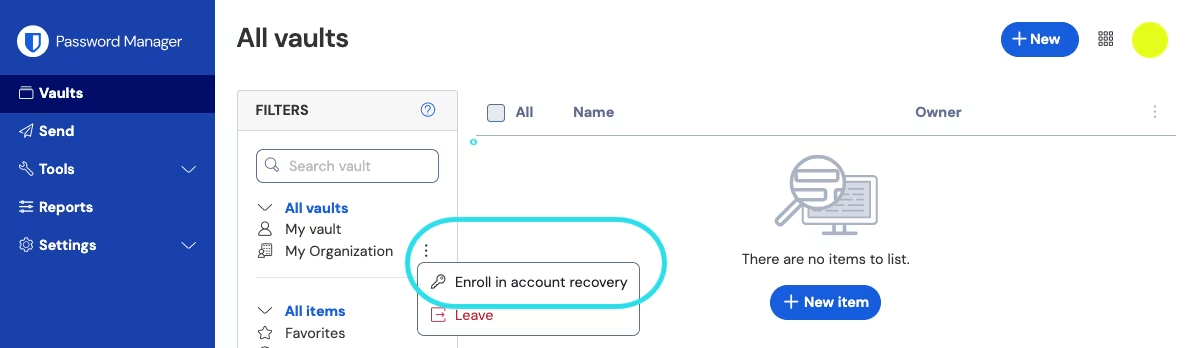
注册账户恢复
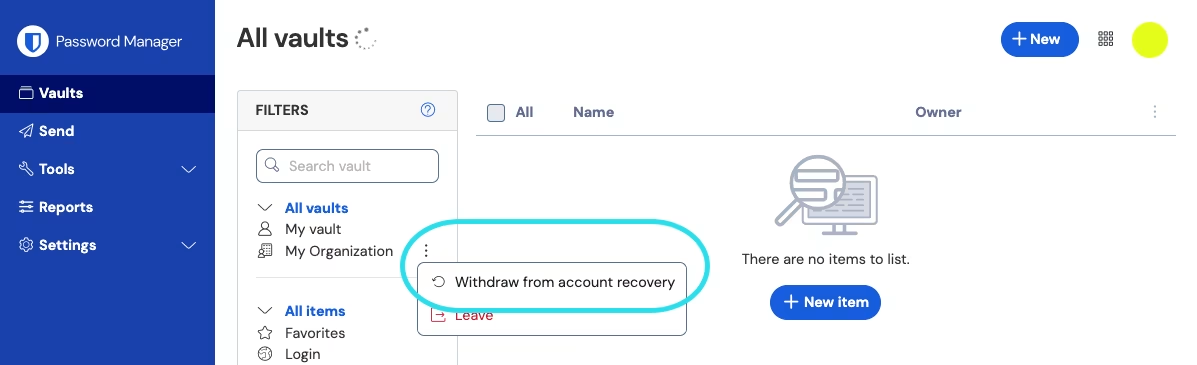
撤销账户恢复