> For the complete documentation index, see [llms.txt](https://help.ppgg.in/llms.txt). Markdown versions of documentation pages are available by appending `.md` to page URLs; this page is available as [Markdown](https://help.ppgg.in/docs/admin-console/manage-members/directory-connector/sync-options-and-filters.md).

# 同步选项和筛选器

{% hint style="success" %}
对应的[官方文档地址](https://bitwarden.com/help/article/user-group-filters/)
{% endhint %}

在配置 Directory Connector 应用程序时，您可以使用多种同步选项和筛选器来自定义同步操作，并限制处理到 Bitwarden 组织的用户和/或群组。

每一种目录服务器类型的可用同步选项和筛选器语法各不相同。请参阅以下文章之一中的**配置同步选项**和**指定同步筛选器**部分以获取帮助：

* [使用 AD 或 LDAP 同步](/docs/admin-console/manage-members/directory-connector/sync-with-ldap-or-ad.md)
* [使用 Microsoft Entra ID 同步](/docs/admin-console/manage-members/directory-connector/sync-with-microsoft-entra-id.md)
* [使用 Google Workspace 同步](/docs/admin-console/manage-members/directory-connector/sync-with-google-workspace.md)
* [使用 Okta 同步](/docs/admin-console/manage-members/directory-connector/sync-with-okta.md)
* [使用 OneLogin 同步](/docs/admin-console/manage-members/directory-connector/sync-with-onelogin.md)

{% hint style="success" %}
如果您使用的是 Directory Connector CLI，请参阅 [Directory Connector 文件存储](/docs/admin-console/manage-members/directory-connector/directory-connector-file-storage.md)以获取有关编辑 `data.json` 配置文件的帮助。
{% endhint %}

## 大型同步 <a href="#large-syncs" id="large-syncs"></a>

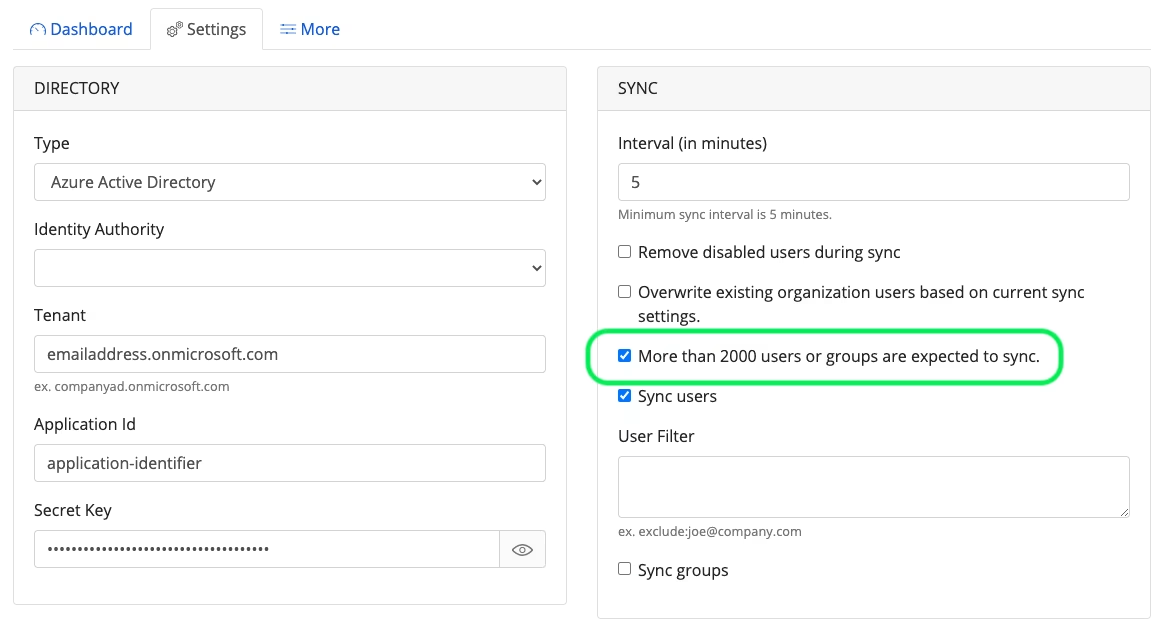
无论您从哪一种目录同步，请启用 **More than 2000 users or groups are expected to sync**（预计超过 2000 个用户或群组需要同步）选项。此选项向 Directory Connector 发出信号，表明您需要同步大量的用户或群组：

<div align="left" data-with-frame="true"><figure><img src="https://bitwarden.com/assets/2vEokum2rZLMpp59jsAjKz/6b5566af0acb05215be6756ac11d5fa8/Screen_Shot_2022-05-24_at_10.37.15_AM.png?w=1164&#x26;fm=avif" alt=""><figcaption><p>大型同步信号</p></figcaption></figure></div>

您也可以通过设置 `"largeImport": true` 直接在 Directory Connector [配置文件](/docs/admin-console/manage-members/directory-connector/directory-connector-file-storage.md#config-file) (`data.json`) 中激活此选项：

```json
"syncConfig": {
  ...,
  ...,
  ...,
  "largeImport": true
  },"
```

{% hint style="info" %}
如果您不启用此选项，Directory Connector 会将同步限制为 2000 个用户或群组。
{% endhint %}

## 覆盖同步 <a href="#overwriting-syncs" id="overwriting-syncs"></a>

{% hint style="danger" %}
此选项适用于非常特殊的使用场景或调试目的，默认为禁用。
{% endhint %}

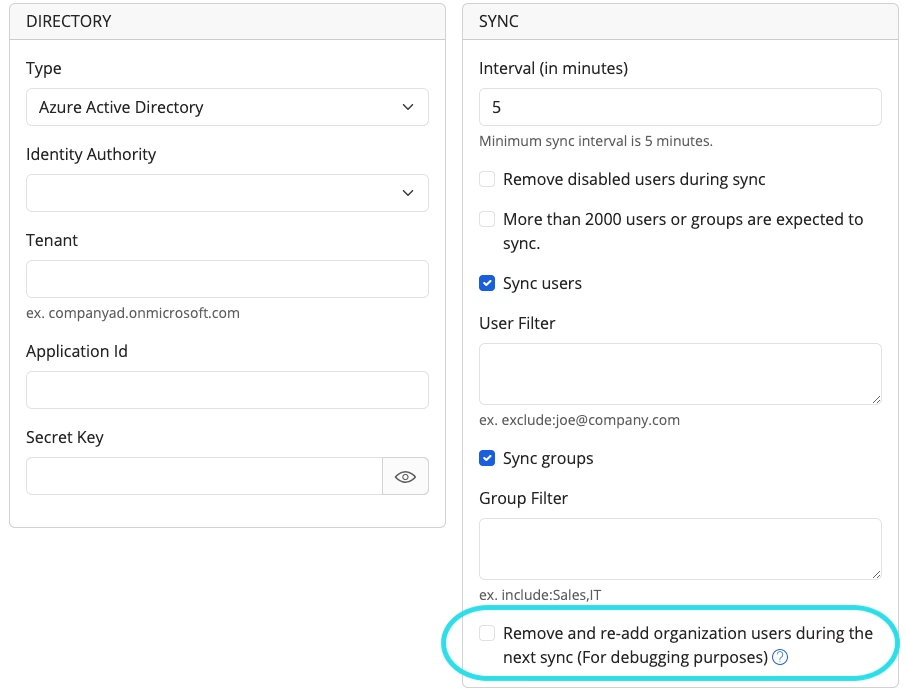
通过激活 **Remove and re-add organization users during the next sync**（下次同步时移除并重新添加组织用户）选项，除了一个所有者用户外的所有用户以及所有群组将在同步过程中被移除并重新添加，替换为从源目录获取的用户列表和/或群组列表。

<div align="left" data-with-frame="true"><figure><img src="https://bitwarden.com/assets/sM0wG9htsgHvpsXx1E1t9/929c1601a0f6d6c55a576e6154d89d31/2024-12-12_10-58-15.png?w=906&#x26;fm=avif" alt=""><figcaption><p>下次同步时移除并重新添加组织用户</p></figcaption></figure></div>

您也可以通过设置 `"overwriteExisting": true`，直接在 Directory Connector 配置文件 (`data.json`) 中启用该选项：

```bash
"syncConfig": {
  ...,
  ...,
  ...,
  "overwriteExisting": true
  },"
```


---

# Agent Instructions
This documentation is published with GitBook. GitBook is the documentation platform designed so that both humans and AI agents can read, navigate, and reason over technical content effectively. Learn more at gitbook.com.

## Querying This Documentation
If you need additional information that is not directly available in this page, you can query the documentation dynamically by asking a question.

Perform an HTTP GET request on the current page URL with the `ask` query parameter, and the optional `goal` query parameter:

```
GET https://help.ppgg.in/docs/admin-console/manage-members/directory-connector/sync-options-and-filters.md?ask=<question>&goal=<endgoal>
```

`ask` is the immediate question: it should be specific, self-contained, and written in natural language.
`goal` is optional and describes the broader end goal you are ultimately trying to accomplish on behalf of the user. GitBook uses it to tailor the answer towards what is most useful for that goal.

The response will contain a direct answer to the question and relevant excerpts and sources from the documentation.

Use this mechanism when the answer is not explicitly present in the current page, you need clarification or additional context, or you want to retrieve related documentation sections.