# 关于集合

{% hint style="success" %}
对应的[官方文档地址](https://bitwarden.com/help/article/about-collections/)
{% endhint %}

集合汇集了从组织内[安全共享](/docs/password-manager/organization-members/sharing.md)的登录、笔记、支付卡和身份信息。集合可以由任何组织类型创建和管理。集合是[文件夹](/docs/password-manager/your-vault/vault-navigation/folders.md)的组织等效物，但有几个关键的区别：

* 组织可以定义[对集合的访问权限](/docs/admin-console/manage-shared-items/collections/collection-permissions.md)，允许用户或[群组](/docs/admin-console/manage-members/groups.md)仅能访问他们所需的项目。
* 存储在组织集合中的项目不属于任何个人用户，而是属于组织。
* 组织所拥有的项目**必须**至少被包括在一个集合中。

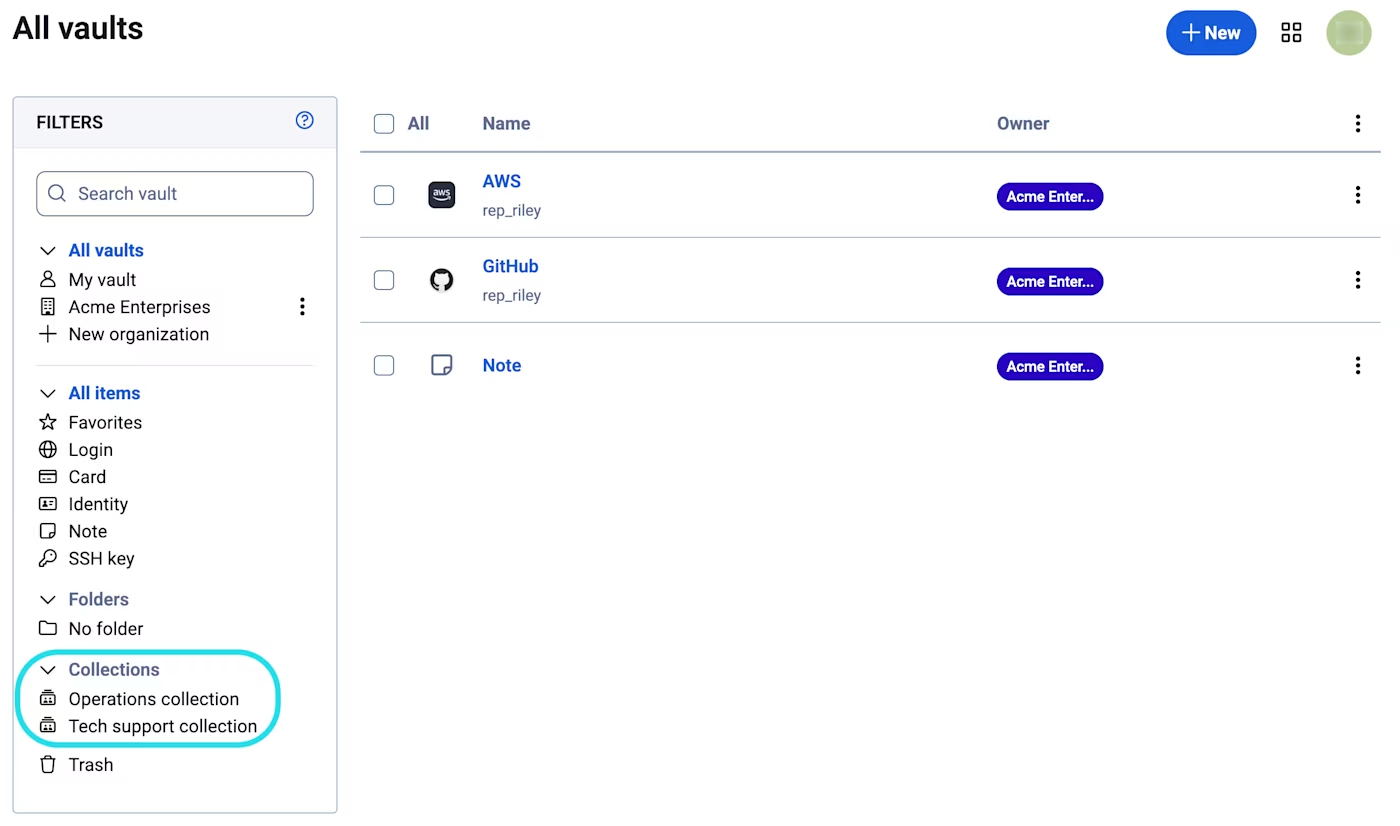
您的密码库集中了您有权访问的所有内容，例如集合、[共享项目](/docs/password-manager/organization-members/sharing.md)和个人项目。要打开特定集合，请从密码库的筛选菜单中选择它：

<div align="left" data-with-frame="true"><figure><img src="https://bitwarden.com/assets/3uvlVv4JZdBPVkC6yQtmlB/e27ac5ec3d8fe46dbefdae0377144505/Open_collection.png?w=1400&#x26;fm=avif" alt=""><figcaption><p>打开集合</p></figcaption></figure></div>

## 嵌套集合 <a href="#nested-collections" id="nested-collections"></a>

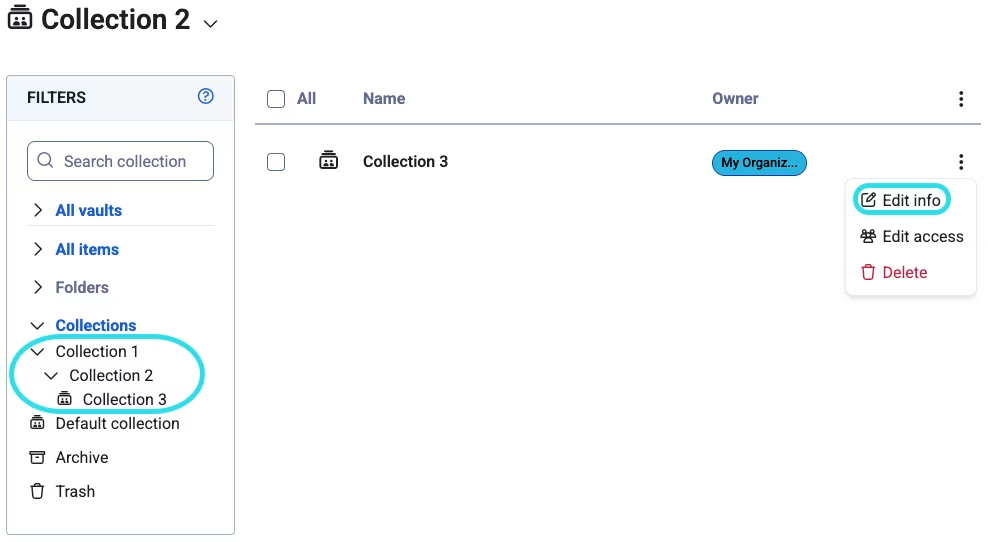
当您嵌套一个集合时，它会按层次结构组织在另一个集合下。首次创建集合时或稍后转至**集合** → **≡**&#x56FE;标 → **编辑信息**，选择**集合的嵌套位置**：

<div align="left" data-with-frame="true"><figure><img src="https://bitwarden.com/assets/4WE9iu5h5WwMh2hTbMV0Q6/f3cfc507b06de6e8243a76685d598066/Nested_collection.png?w=988&#x26;fm=avif" alt=""><figcaption><p>嵌套集合</p></figcaption></figure></div>

这只会更改您的集合列表在筛选列中的显示方式。嵌套的集合不会从其「父」集合中继承项目、访问权限或权限。

## 下一步 <a href="#next-steps" id="next-steps"></a>

* [创建集合](/docs/admin-console/manage-shared-items/collections/create-collections.md)以添加共享项目到其中。
* 通过新的集合[与组织成员共享项目](/docs/password-manager/organization-members/sharing.md)。
* 为新集合[分配群组和成员访问权限](/docs/admin-console/manage-shared-items/collections/assign-users-to-collections.md)。
* 为集合[配置群组和成员权限](/docs/admin-console/manage-shared-items/collections/collection-permissions.md)。
* 为组织[配置集合管理设置](/docs/admin-console/manage-shared-items/collections/collection-settings.md)。


---

# Agent Instructions: Querying This Documentation

If you need additional information that is not directly available in this page, you can query the documentation dynamically by asking a question.

Perform an HTTP GET request on the current page URL with the `ask` query parameter:

```
GET https://help.ppgg.in/docs/admin-console/manage-shared-items/collections/about-collections.md?ask=<question>
```

The question should be specific, self-contained, and written in natural language.
The response will contain a direct answer to the question and relevant excerpts and sources from the documentation.

Use this mechanism when the answer is not explicitly present in the current page, you need clarification or additional context, or you want to retrieve related documentation sections.