# 从浏览器扩展自动保存

{% hint style="success" %}
询问更新现有登录对应的[官方文档地址](https://bitwarden.com/help/autosave-from-browser-extensions/)
{% endhint %}

Bitwarden 浏览器扩展提供一系列浏览器内的通知，可将您的解密数据与您在登录、注册和类似网页表单中输入的数据进行比较。其中包括：

* 保存或使用通行密钥的通知。
* 添加未检测到的登录的通知。
* 更新现有的登录的通知。
* 保存新 URI 的通知。

这些通知默认为激活状态，但可以通过浏览器扩展的**设置** → **通知**菜单将其关闭。

{% hint style="success" %}
您还可以从**设置** → **通知** → **排除域名**菜单中阻止指定网站以触发自动保存通知。更多信息，请参阅[对指定网站屏蔽自动保存](/docs/password-manager/autofill/more-autofill-options/exclude-domains.md)。
{% endhint %}

## 询问保存和使用通行密钥 <a href="#ask-to-save-and-use-passkeys" id="ask-to-save-and-use-passkeys"></a>

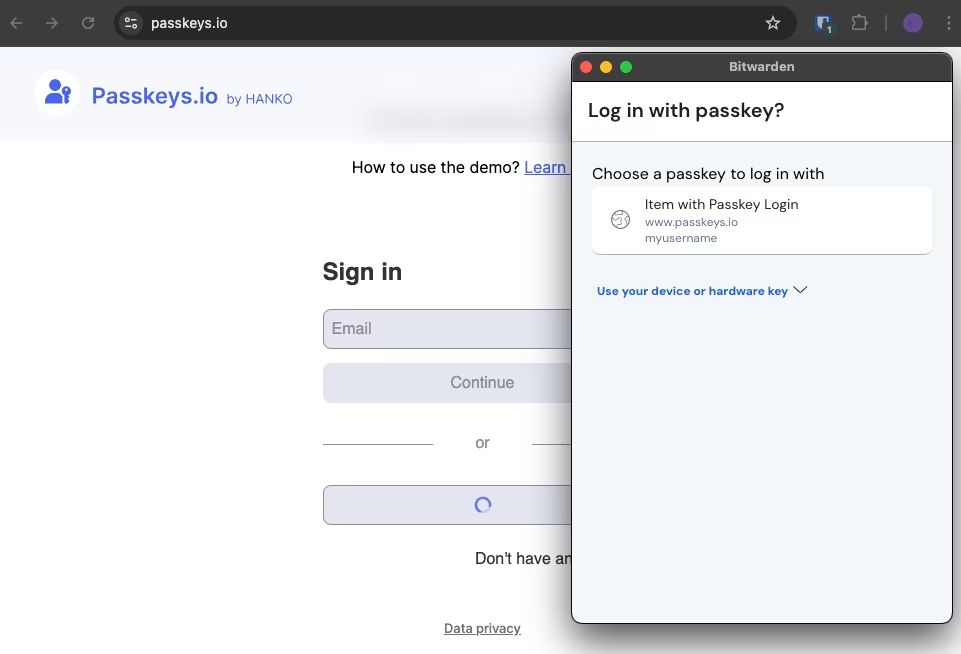
当 Bitwarden 检测到您正在为某个网站创建新的通行密钥，或提示您使用已保存在 Bitwarden 中的通行密钥登录时，Bitwarden 将会提示您保存新通行密钥或使用已保存的通行密钥登录：

<div align="left" data-with-frame="true"><figure><img src="https://bitwarden.com/assets/5KeuUZox5shd0zDMxPHKXn/1aab35dfceed0ed9cdb17b143be9a890/2024-10-29_11-39-33.png?w=961&#x26;fm=avif" alt=""><figcaption><p>使用通行密钥登录</p></figcaption></figure></div>

更多信息，请参阅[自动填充通行密钥](/docs/password-manager/autofill/more-autofill-options/autofill-passkeys.md)。

## 询问添加登录 <a href="#ask-to-add-login" id="ask-to-add-login"></a>

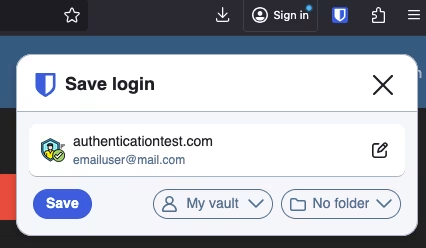
当 Bitwarden 检测到您为一个未存储在 Bitwarden 中的页面输入了登录信息时，Bitwarden 将会提示您将这些凭据保存到 Bitwarden 中：

<div align="left" data-with-frame="true"><figure><img src="https://bitwarden.com/assets/4vsurEuH5deik26BWn4n1p/82757186b081890fbe92b4d73baeae53/screenshot_7.png?w=426&#x26;fm=avif" alt=""><figcaption><p>询问添加登录</p></figcaption></figure></div>

通过该通知，您可以选择是将其存储在个人项目（即**我的密码库**）中，还是存储在某个组织中。在保存之前，您还可以使用编辑 **✏️**按钮对项目进行编辑。

## 询问更新现有的登录 <a href="#ask-to-update-existing-login" id="ask-to-update-existing-login"></a>

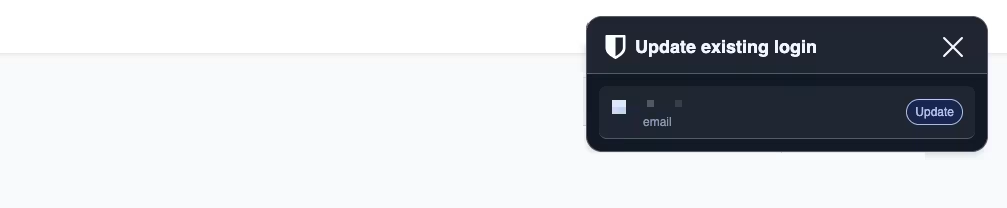
当 Bitwarden 检测到您在表单中输入的登录信息与 Bitwarden 中已保存的信息不一致时（例如，如果您最近在某个网站上更新了密码，但没有在 Bitwarden 中更新），Bitwarden 将会提示您在 Bitwarden 中更新您的凭据：

<div align="left" data-with-frame="true"><figure><img src="https://bitwarden.com/assets/3nn8Vz526Il3onWPHMUUAi/90fd3af3616b60c2961064a56205d525/2025-05-20_16-19-00.png?w=1007&#x26;fm=avif" alt=""><figcaption><p>询问更新现有的登录</p></figcaption></figure></div>

## 询问保存 URI <a href="#ask-to-save-a-uri" id="ask-to-save-a-uri"></a>

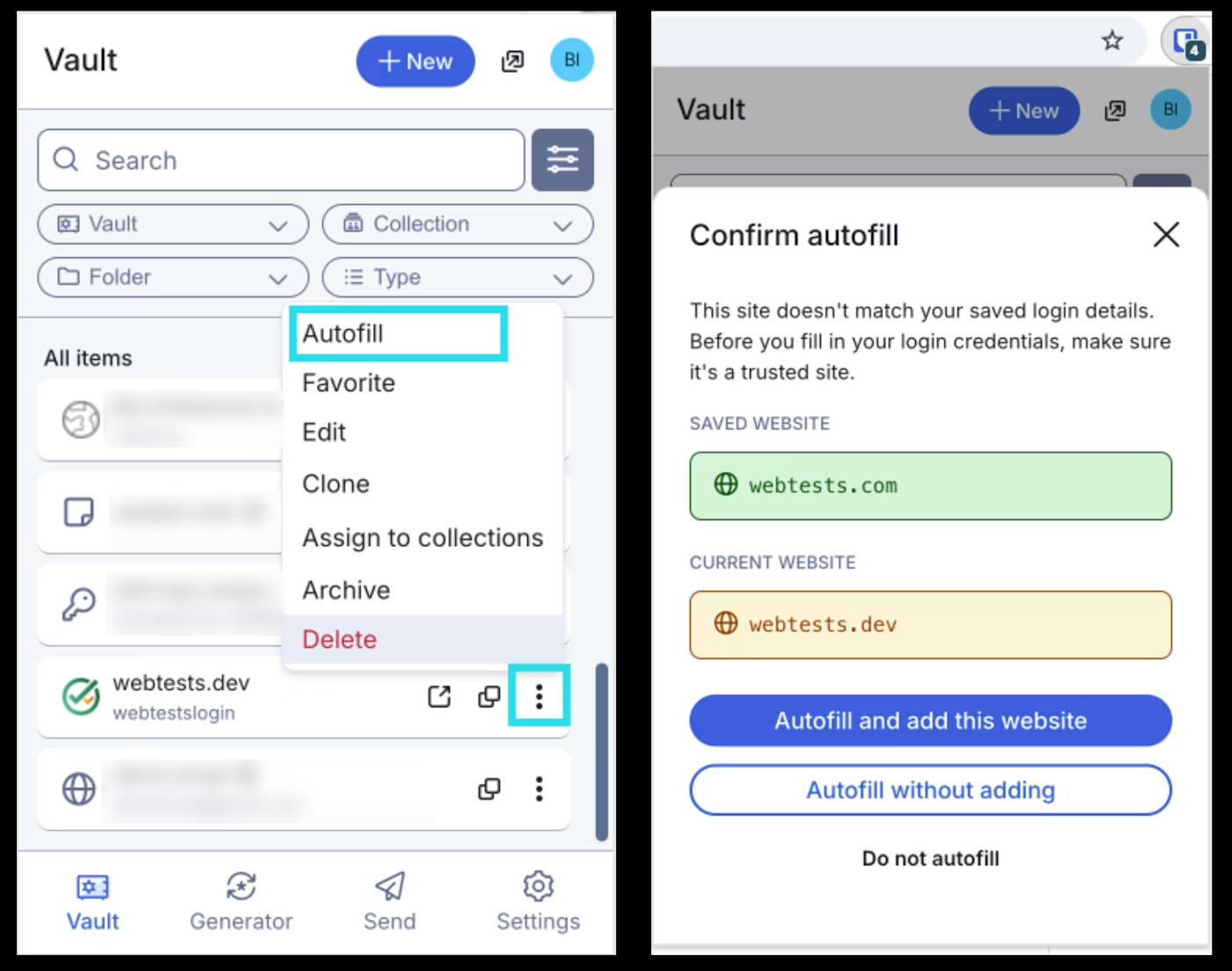
当使用浏览器扩展**自动填充**登录项目，但该登录项目的 URI 与当前访问的网站不匹配时，浏览器扩展将提供将新 URI 保存到该登录项目的选项：

<div align="left" data-with-frame="true"><figure><img src="https://bitwarden.com/assets/67h2UzB5cit1oVpEKTUcVs/dfeadfd6749961b76fb9746a36cc9085/2025-12-04_09-37-06.png?w=1400&#x26;fm=avif" alt=""><figcaption><p>确认自动填充</p></figcaption></figure></div>


---

# Agent Instructions: Querying This Documentation

If you need additional information that is not directly available in this page, you can query the documentation dynamically by asking a question.

Perform an HTTP GET request on the current page URL with the `ask` query parameter:

```
GET https://help.ppgg.in/docs/password-manager/autofill/autofill-from/autosave-from-browser-extensions.md?ask=<question>
```

The question should be specific, self-contained, and written in natural language.
The response will contain a direct answer to the question and relevant excerpts and sources from the documentation.

Use this mechanism when the answer is not explicitly present in the current page, you need clarification or additional context, or you want to retrieve related documentation sections.