> For the complete documentation index, see [llms.txt](https://help.ppgg.in/llms.txt). Markdown versions of documentation pages are available by appending `.md` to page URLs; this page is available as [Markdown](https://help.ppgg.in/docs/password-manager/organization-members/my-items.md).
# 我的项目
{% hint style="success" %}
对应的[官方文档地址](https://bitwarden.com/help/my-items/)
{% endhint %}
「**我的项目**」是组织成员存储不需要与其他用户共享但仍然属于组织所有权的项目的位置。当组织正在使用[集中化组织所有权](/docs/admin-console/oversight-visibility/enterprise-policies.md#centralize-organization-ownership)策略,「我的项目」将可供成员使用。
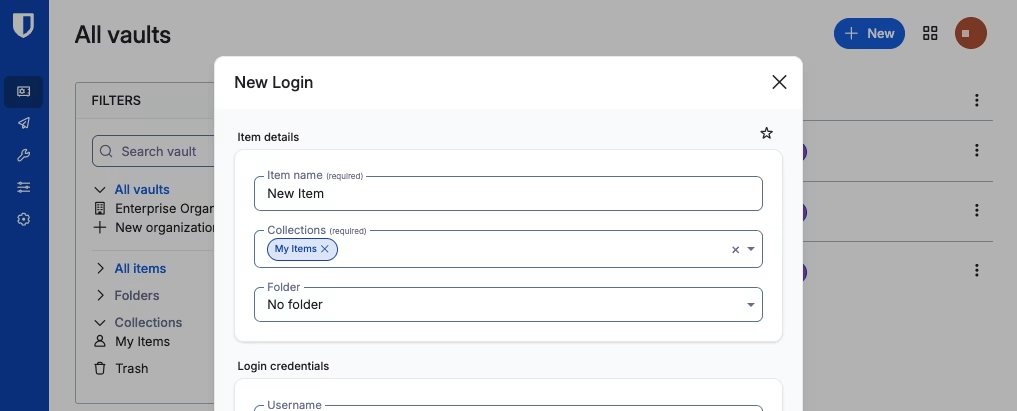
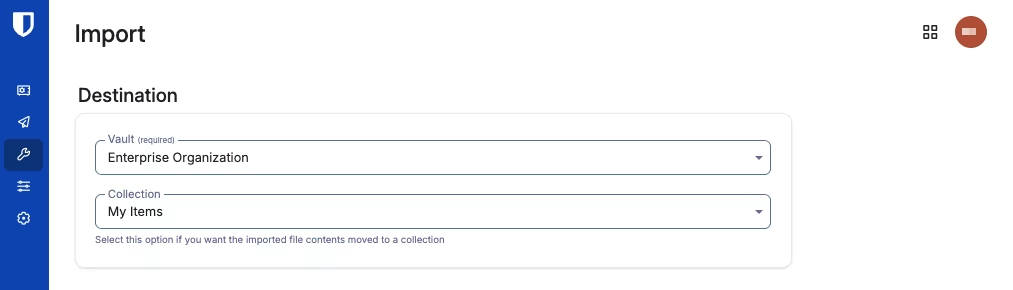
所有者或管理员启用该策略后,「**我的项目**」将被添加到每一位组织成员的密码库中,并且根据组织策略的设置,用户可能会被提示[将项目从「我的密码库」转移到「我的项目」](/docs/password-manager/organization-members/transfer-ownership.md)。
{% hint style="warning" %}
目前,Bitwarden 仅建议对尚未开始推广的组织启用[强制组织数据所有权策略](/docs/admin-console/oversight-visibility/enterprise-policies.md#centralize-organization-ownership)。如果您的组织在 [2025.11.0](https://help.ppgg.in/docs/password-manager/organization-members/pages/-MNXLa0A2fbW2RZGFkwT#id-2025.11.0) 版本之前激活了该策略,将为自该版本以后确认的成员创建「**我的项目**」。现有成员将不会拥有「**我的项目**」,并且可以继续使用他们的「**我的密码库**」。
{% endhint %}
「**我的项目**」是每个组织成员存储项目的主要位置,特别是那些不需要与其他成员共享的项目:
* 「**我的项目**」中的项目归组织拥有。这些项目除该成员外,任何人无法直接访问,但会记录[事件日志](/docs/admin-console/oversight-visibility/event-logging/event-logs.md)和组织[健康报告](/docs/password-manager/your-vault/security-tools/vault-health-reports.md)。
* 成员不能在[将项目分配到集合](/docs/password-manager/organization-members/sharing.md)之前,与其它成员共享「**我的项目**」中的项目。
* 通过[集合](/docs/admin-console/manage-shared-items/collections/about-collections.md)共享给成员的项目无法移动或添加到「**我的项目**」。
* 当成员账户从组织中被[移除](/docs/admin-console/manage-members/revoke-remove/permanently-remove-access.md)或[删除](/docs/admin-console/manage-members/revoke-remove/delete-member-accounts.md)后,「**我的项目**」中的项目将转移给组织管理员。
## 定位「我的项目」
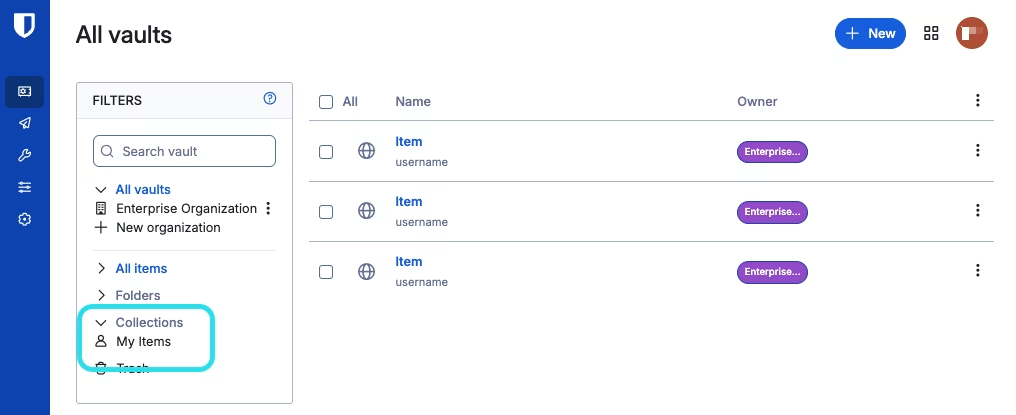
「**我的项目**」可作为密码库筛选器在任何 Bitwarden App 中使用,例如在网页 App 中: