# 收藏

{% hint style="success" %}
对应的[官方文档地址](https://bitwarden.com/help/article/favorites/)
{% endhint %}

可以将任何项目指定为**收藏**，以便快速访问您最常用的项目。

即使是[组织已与您共享](/docs/password-manager/organization-members/sharing.md)的项目也可以被指定为收藏，这只会影响它们在您的个人密码库中的显示方式（即您这样做不会让其他对该组织或集合有访问权限的用户也将该项目设为收藏）。

{% hint style="success" %}
标记为**收藏**的项目将显示在浏览器扩展和移动 App的 **🔒密码库**视图的顶部，以及网页密码库和桌面 App 的 **⭐️收藏**筛选器中。
{% endhint %}

## 指定为收藏 <a href="#designating-favorites" id="designating-favorites"></a>

在最初创建时，或在任何时候编辑时，都可将任何密码库项目指定为收藏：

{% tabs %}
{% tab title="网页 App" %}
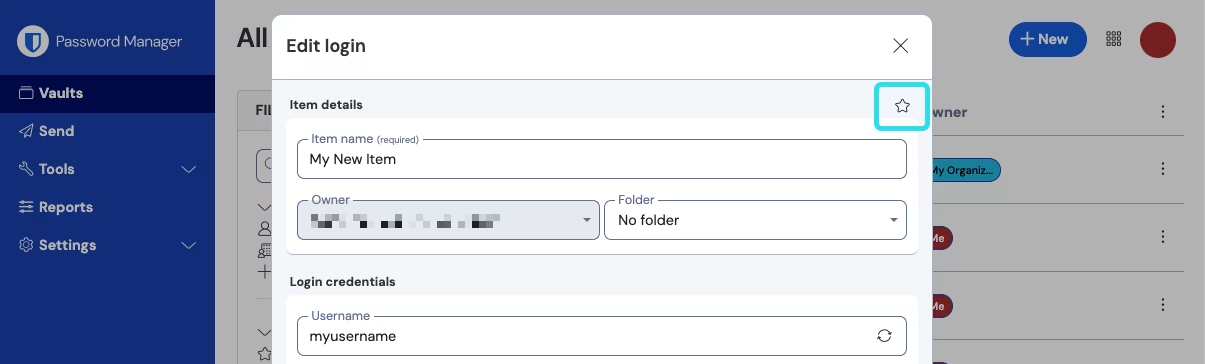
在「添加」或「编辑」界面，选中右上角的 **⭐️星形**图标，然后**保存**该项目：

<div align="left" data-with-frame="true"><figure><img src="https://bitwarden.com/assets/4XpFH5NFI6Lso21BpGNKsu/e90cd1d0d6c3e4e7296d2e0300ab3ab2/2024-12-02_16-26-17.png?w=1205&#x26;fm=avif" alt=""><figcaption><p>收藏项目</p></figcaption></figure></div>
{% endtab %}

{% tab title="浏览器扩展" %}
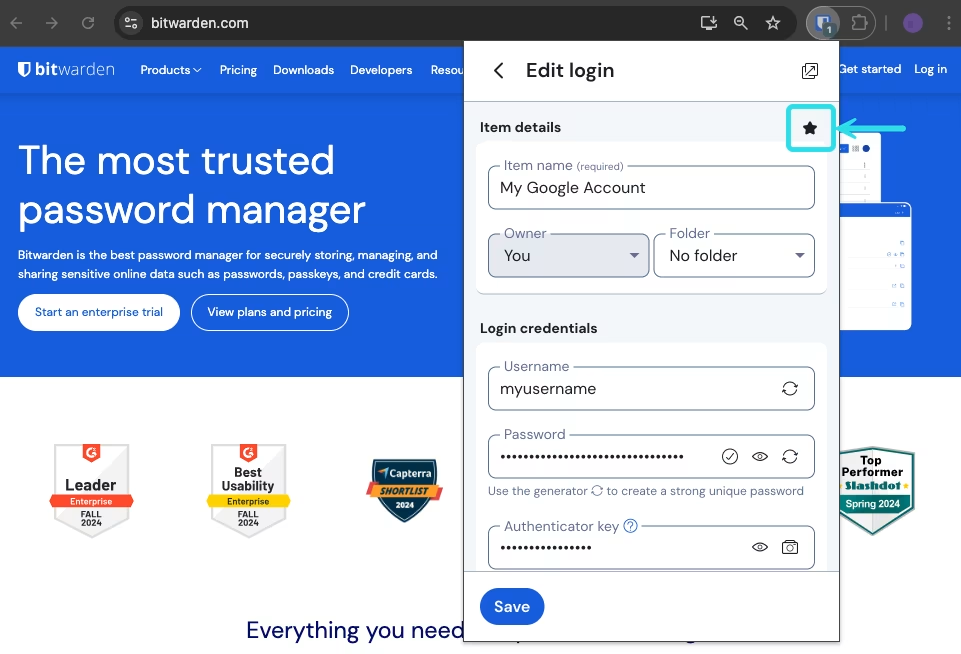
选择一个项目然后打开「编辑」界面，选中**收藏**复选框，然后**保存**该项目：

<div align="left" data-with-frame="true"><figure><img src="https://bitwarden.com/assets/36QXVM3xcSN7vALkOWQPYr/fd82e56cb60b38e4ff6a96bfb7b5d54d/2024-10-29_11-53-27.png?w=961&#x26;fm=avif" alt=""><figcaption><p>收藏项目</p></figcaption></figure></div>
{% endtab %}

{% tab title="桌面端" %}
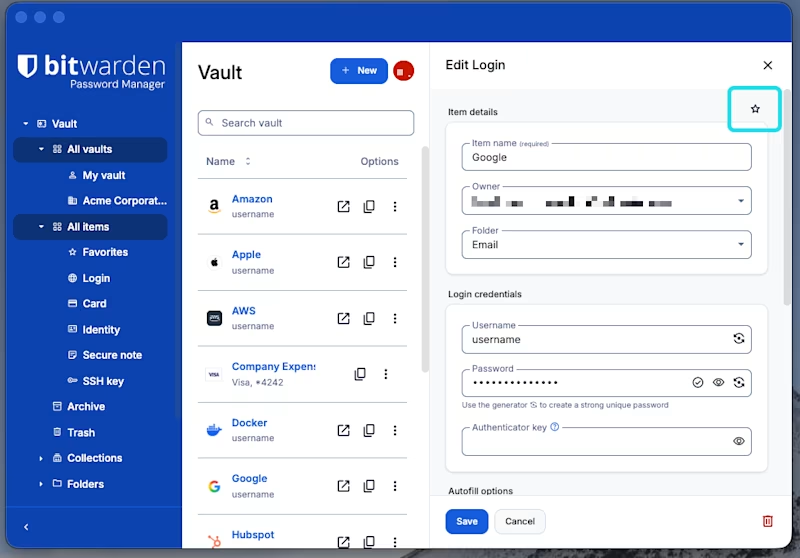
在「添加项目」或「编辑项目」界面，勾选**收藏**复选框，然后**保存**该项目：

<div align="left" data-with-frame="true"><figure><img src="https://bitwarden.com/assets/2BtbpzNSnydUYBu92j1bCH/9ad9e283584adb0b67be65b3f30e23eb/2026-01-28_10-24-52.png?w=1001&#x26;fm=avif" alt=""><figcaption><p>收藏项目</p></figcaption></figure></div>
{% endtab %}

{% tab title="移动端" %}
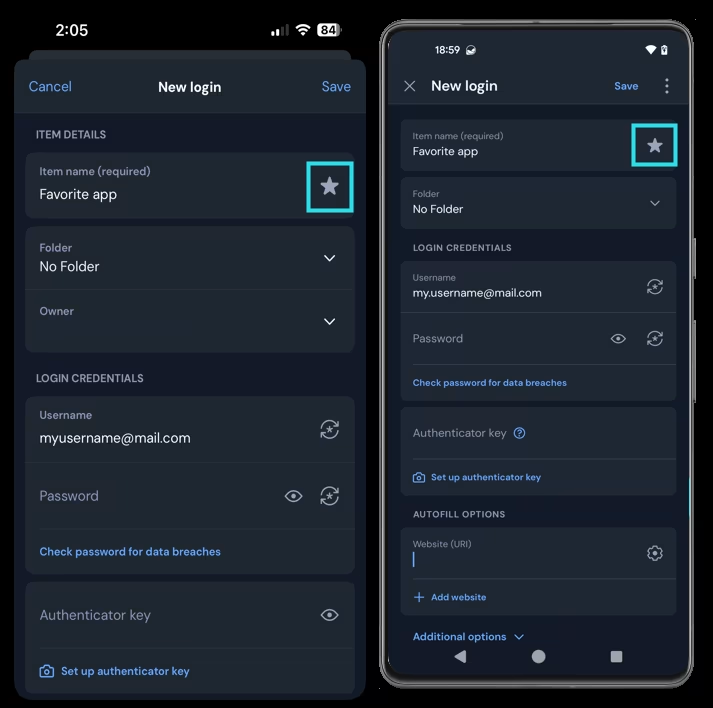
在「添加项目」或「编辑项目」界面，选中**收藏 ⭐️**，然后**保存**该项目：

<div align="left" data-with-frame="true"><figure><img src="https://bitwarden.com/assets/1rvKA8zNjd1RktotXjBEUg/f25cc45f33b29b901ec8e1f3ddc96d7c/2025-01-22_09-46-54.png?w=713&#x26;fm=avif" alt=""><figcaption><p>收藏项目</p></figcaption></figure></div>
{% endtab %}
{% endtabs %}


---

# Agent Instructions: Querying This Documentation

If you need additional information that is not directly available in this page, you can query the documentation dynamically by asking a question.

Perform an HTTP GET request on the current page URL with the `ask` query parameter:

```
GET https://help.ppgg.in/docs/password-manager/your-vault/vault-navigation/favorites.md?ask=<question>
```

The question should be specific, self-contained, and written in natural language.
The response will contain a direct answer to the question and relevant excerpts and sources from the documentation.

Use this mechanism when the answer is not explicitly present in the current page, you need clarification or additional context, or you want to retrieve related documentation sections.