# 提供商事件日志

{% hint style="success" %}
对应的[官方文档地址](https://bitwarden.com/help/article/provider-events/)
{% endhint %}

## 什么是事件日志？ <a href="#what-are-event-logs" id="what-are-event-logs"></a>

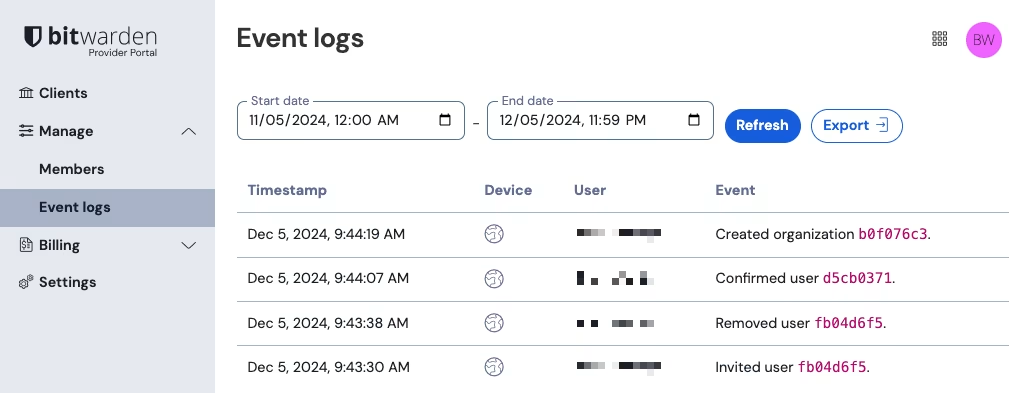
事件日志是您的提供商中发生的事件的时间戳记录。提供商的事件日志只能由[提供商管理员](/docs/provider-portal/provider-users.md)从提供商门户的**管理** → **事件日志**选项视图访问：

<div align="left" data-with-frame="true"><figure><img src="https://bitwarden.com/assets/78qTc5NI4nFDbpxWMDjwJz/e17201d717128c15e9fb55e55be6b57c/2024-12-05_09-44-47.png?w=1031&#x26;fm=avif" alt=""><figcaption><p>提供商事件日志</p></figcaption></figure></div>

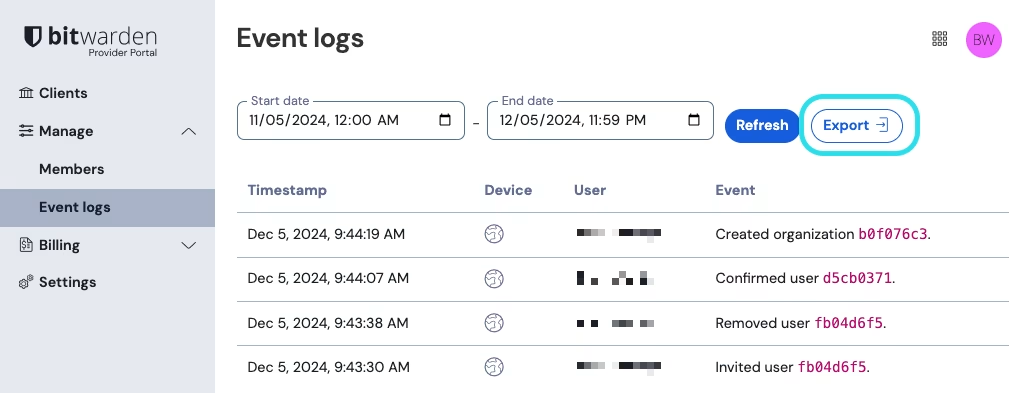
选择**导出**按钮将创建一个位于指定日期范围内所有事件的 `.csv` 文件：

<div align="left" data-with-frame="true"><figure><img src="https://bitwarden.com/assets/1BYgVWThvhR5CWpNKBTuOT/862268581c453d9f3a0aa25df477f9ef/2024-12-05_09-44-47.png?w=1031&#x26;fm=avif" alt=""><figcaption><p>导出提供商事件日志</p></figcaption></figure></div>

### 事件 <a href="#events" id="events"></a>

事件日志记录了提供商的多种不同类型的事件。事件日志界面捕获事件的**时间戳**、包含应用程序类型和 IP（通过将鼠标悬停在 🌎地球图标上访问）的客户端应用程序信息、连接到事件的**用户**以及**事件**描述。提供商事件包括：

* 邀请了用户 *user-identifier*
* 确认了用户 *user-identifier*
* 编辑了用户 *user-identifier*
* 移除了用户 *user-identifier*
* 访问了组织密码库 *organization-identifier*
* 创建了组织 *organization-identifier*（[在提供商中创建新组织](/docs/provider-portal/start-a-client-organization.md#create-a-client-organization)时触发）
* 添加了组织 *organization-identifier*（[将现有组织添加到提供商](/docs/provider-portal/providers-faqs.md#q-im-already-providing-bitwarden-as-a-service-for-my-clients-what-do-i-need-to-do-to-move-to-the-provider-portal)时触发）
* 移除了组织 *organization-identifier*

{% hint style="success" %}
提供商事件当前不会汇总为每一个[客户组织](/docs/provider-portal/provider-portal-overview.md#client-organizations)记录的事件。提供商用户可以从客户组织的密码库访问组织事件日志。[了解更多](/docs/admin-console/oversight-visibility/event-logging/event-logs.md)。
{% endhint %}


---

# Agent Instructions: Querying This Documentation

If you need additional information that is not directly available in this page, you can query the documentation dynamically by asking a question.

Perform an HTTP GET request on the current page URL with the `ask` query parameter:

```
GET https://help.ppgg.in/docs/provider-portal/provider-event-logs.md?ask=<question>
```

The question should be specific, self-contained, and written in natural language.
The response will contain a direct answer to the question and relevant excerpts and sources from the documentation.

Use this mechanism when the answer is not explicitly present in the current page, you need clarification or additional context, or you want to retrieve related documentation sections.