# 服务器地理位置

{% hint style="success" %}
对应的[官方文档地址](https://bitwarden.com/help/server-geographies/)
{% endhint %}

Bitwarden 云服务可在全球范围内使用，数据存储在**美国**和**欧盟**地区。无论您使用哪个区域的服务器，Bitwarden 用于保护您的敏感数据采取的措施都是相同的。详细了解 [Bitwarden 如何保护您的数据](/docs/security/data/data-storage.md)。

## 选择您的云服务器 <a href="#choose-your-cloud-server" id="choose-your-cloud-server"></a>

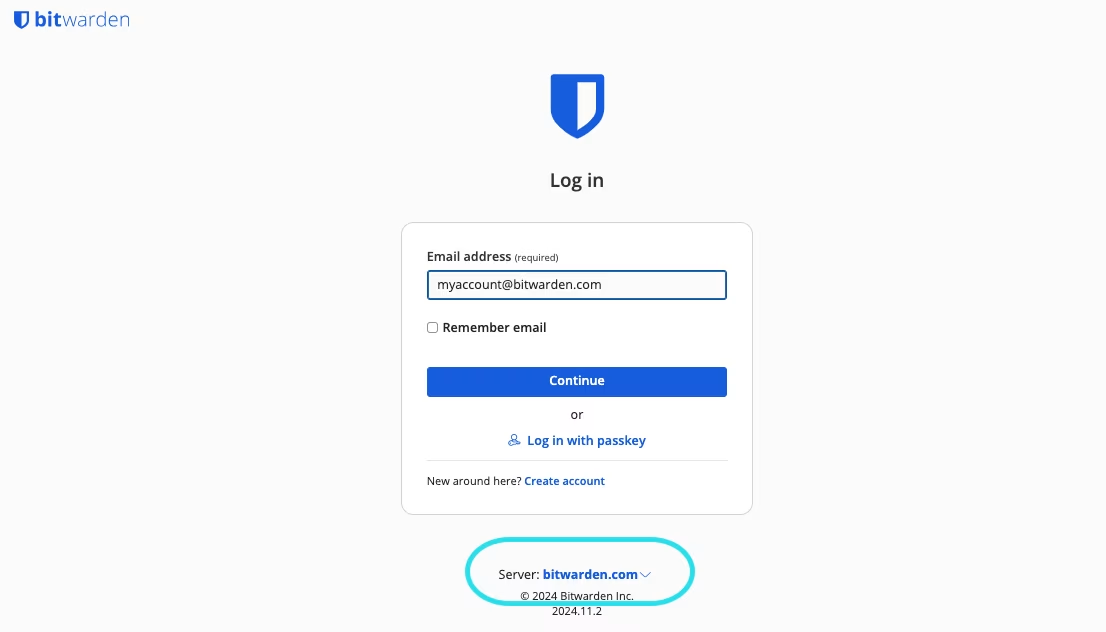
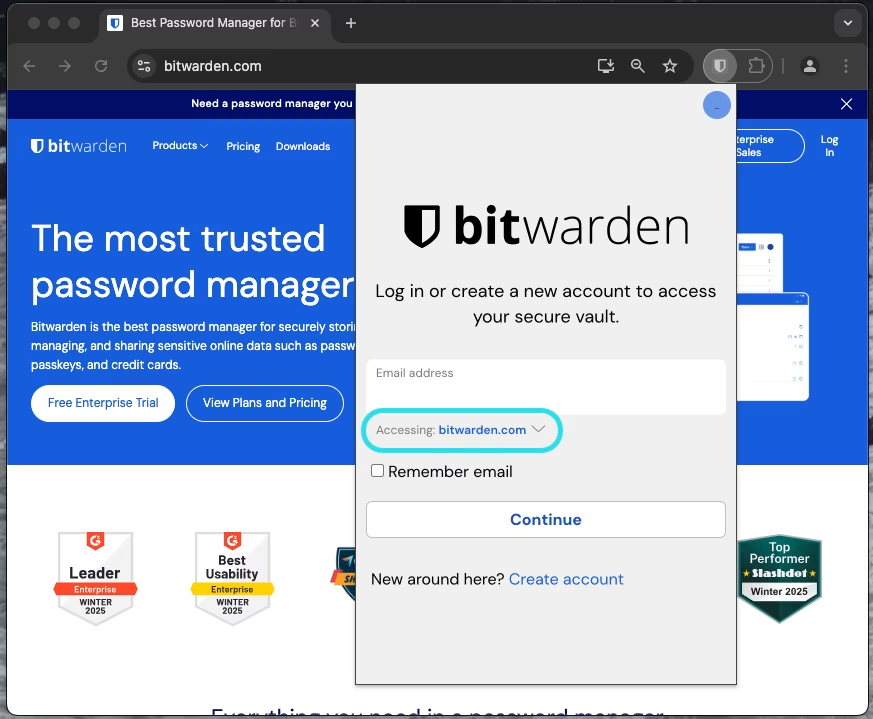
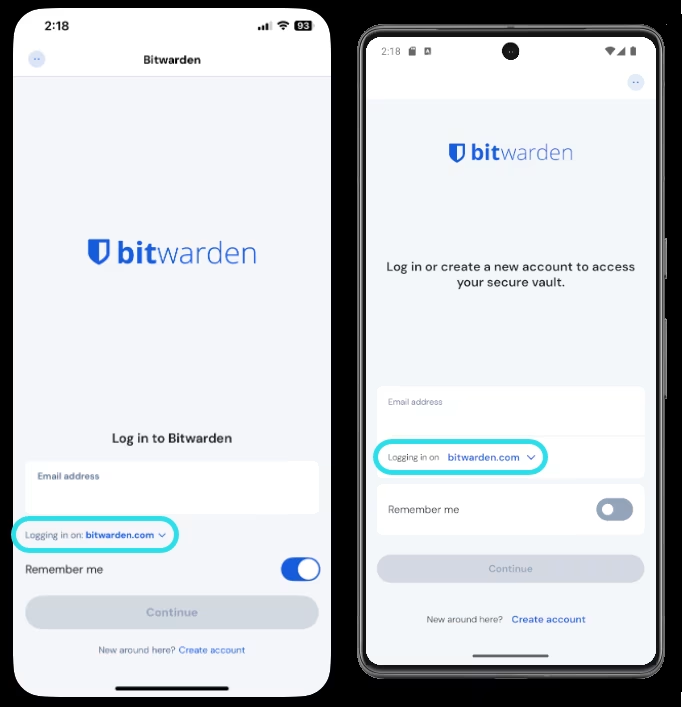
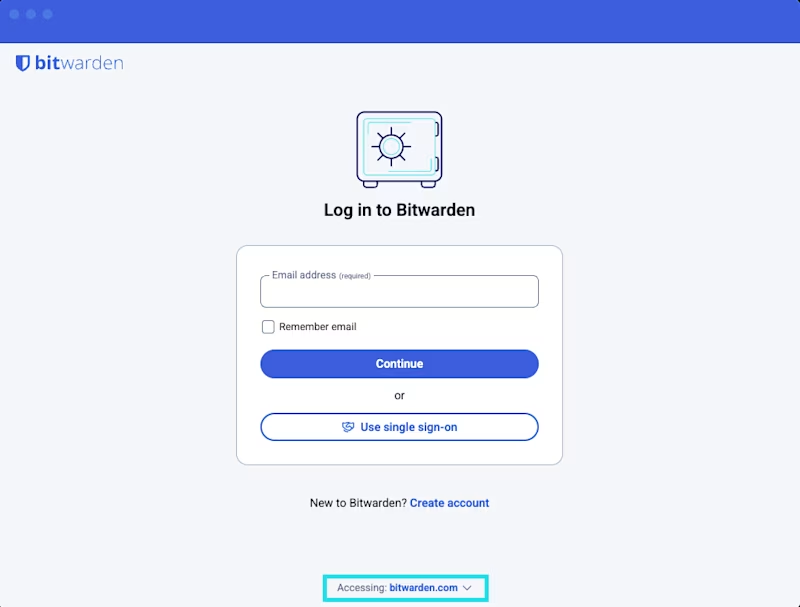
要选择在哪个 Bitwarden 服务器地理位置上创建您的账户或组织，请在登录或注册页面上选择**服务器**或**登录到：**&#x4E0B;拉菜单，然后选择所需的区域：

{% tabs %}
{% tab title="网页 App" %}

<div align="left" data-with-frame="true"><figure><img src="https://bitwarden.com/assets/30W3B0aJy0dzO0pKTaBr7h/ed4fa669856dc3b13dbd80a1e0b237b5/2024-12-04_10-09-00.png?w=1106&#x26;fm=avif" alt=""><figcaption><p>网页 App 上的区域选择器</p></figcaption></figure></div>
{% endtab %}

{% tab title="浏览器扩展" %}

<div align="left" data-with-frame="true"><figure><img src="https://bitwarden.com/assets/4Kas8J6TjKZWMdaTo7pZMX/7d33be1c411bcf7eaf0816842beb824b/2025-02-18_14-09-00.png?w=873&#x26;fm=avif" alt=""><figcaption><p>浏览器扩展上的区域选择器</p></figcaption></figure></div>
{% endtab %}

{% tab title="移动 App" %}

<div align="left" data-with-frame="true"><figure><img src="https://bitwarden.com/assets/753jtQ6dg9u6Rln2A7TF4R/01b3d12d193d8f00432b925c29999d91/2025-02-18_14-18-33.png?w=682&#x26;fm=avif" alt=""><figcaption><p>移动 App 上的区域选择器</p></figcaption></figure></div>
{% endtab %}

{% tab title="桌面 App" %}

<div align="left" data-with-frame="true"><figure><img src="https://bitwarden.com/assets/3FlU02971dqGGkp86WJJc5/43aeb8ee7de20a3cc0156fbf2c766432/choose-my-service-1.png?w=800&#x26;fm=avif" alt=""><figcaption><p>桌面 App 上的区域选择器</p></figcaption></figure></div>
{% endtab %}
{% endtabs %}

Bitwarden 数据区域是独立的，您的账户或组织只存在于其最初创建的区域中。

### 连接您的自托管服务器 <a href="#connect-your-self-hosted-server" id="connect-your-self-hosted-server"></a>

自托管 Bitwarden 组织或个人高级方案需要首先在云服务器上启动订阅，然后[上传许可证文件](/docs/self-hosting/licensing-on-premise.md)到您的自托管实例。如果您是在 EU 服务器上创建的订阅，请将以下[环境变量](/docs/self-hosting/deploy-and-configure/configuration-options/environment-variables.md)添加到服务器的 `./bwdata/env/global.override.env` 文件中，以确保与正确的服务器通信：

```systemd
globalSettings__installation__identityUri=https://identity.bitwarden.eu
globalSettings__installation__apiUri=https://api.bitwarden.eu
globalSettings__pushRelayBaseUri=https://push.bitwarden.eu
```

{% hint style="info" %}
在继续之前，请确保您的配置与您获取[安装 ID 和密钥](https://bitwarden.com/host/)时选择的数据区域正确对应，如上所述。
{% endhint %}

## 迁移到另一个云 <a href="#migrate-to-another-cloud" id="migrate-to-another-cloud"></a>

要从一个 Bitwarden 云服务器迁移到另一个，例如从 US 服务器迁移到 EU 服务器：

1、[导出您的组织密码库](/docs/password-manager/import-and-export/export-vault-data.md#export-an-organization-vault)，然后指导所有组织成员[导出其个人密码库](/docs/password-manager/import-and-export/export-vault-data.md#export-a-personal-vault)。

{% hint style="success" %}
单独下载密码库项目的所有文件附件，并记下它们属于哪些项目。
{% endhint %}

2、在所需区域创建新的 Bitwarden 账户并开始试用组织。当您准备好时，Bitwarden 支持会将您的订阅迁移到新的区域（见**步骤 4**）。

3、设置您的新组织，配置企业策略、SSO 登录，构建群组 - 集合关系以及使用 Directory Connector 或 SCIM 邀请用户等。如需帮助，请参阅[概念验证清单](/docs/admin-console/more/proof-of-concept-project-checklist.md)。

4、[请联系 Bitwarden 支持](https://bitwarden.com/contact/)，让您的新组织停止试用并在新的区域恢复订阅。

5、导入在**步骤 1** 中获得的组织密码库数据，然后指导组织成员也导入其个人密码库。

### 迁移 FAQ <a href="#migration-faqs" id="migration-faqs"></a>

#### 问：我需要迁移吗？ <a href="#q-do-i-need-to-migrate" id="q-do-i-need-to-migrate"></a>

**答**：不需要迁移区域。区域选择器允许组织指定密码库数据的地理位置。不同区域的特性和功能是相同的。

#### 问：有迁移流程吗？ <a href="#q-is-there-a-process-for-migrating" id="q-is-there-a-process-for-migrating"></a>

**答**：Bitwarden 区域是不同的云环境。Bitwarden 无法为客户将账户从一个区域迁移到另一个区域。企业可使用脚本来帮助迁移。您可以通过[联系我们](https://bitwarden.com/contact/)将订阅从一个区域转移到另一个区域。

#### 问：在某个服务器位置创建的账户能否加入另一个服务器位置的组织？ <a href="#q-can-an-account-created-in-one-server-geography-join-an-organization-in-another-server-geography" id="q-can-an-account-created-in-one-server-geography-join-an-organization-in-another-server-geography"></a>

**答**：不能。密码库数据和用户数据在服务器地理位置之间是完全独立的。如果用户与组织位于不同的服务器，则用户无法访问该组织或与之交互。 这种分离包括已迁移且不再与组织成员位于同一云服务器上的组织。

#### 问：迁移脚本有什么作用？ <a href="#q-what-does-the-migration-script-do" id="q-what-does-the-migration-script-do"></a>

**答**：该脚本与 Bitwarden CLI 配合使用，可以将数据从一个安装移动到另一个安装。[本文](/docs/miscellaneous/migration-script.md)中提供了相关说明。该脚本迁移所有组织密码库数据，包括附件、成员角色（不包括自定义角色）以及分配给成员和群组的集合权限。如果您不使用目录集成进行自动配置，该脚本还会自动在新组织中重新创建您的群组。请注意，这不包括单个用户密码库的迁移。

#### 问：手动迁移是什么样的？ <a href="#q-what-does-a-manual-migration-look-like" id="q-what-does-a-manual-migration-look-like"></a>

**答**：完整的手动迁移涉及在首选区域创建新账户，并开始新组织的创建过程。新组织配置完成后，重新邀请用户，然后从旧组织导出密码库数据并导入到新组织中。用户需要手动导出/导入其个人密码库。

#### 问：如果我们迁移了企业版方案，我已赞助的家庭版方案会发生什么情况？ <a href="#q-what-happens-to-my-sponsored-families-plan-if-we-migrate-our-enterprise-plan" id="q-what-happens-to-my-sponsored-families-plan-if-we-migrate-our-enterprise-plan"></a>

**答**：企业员工的免费家庭版方案必须与赞助方案位于同一区域。如果您的企业版方案迁移到其他地区，您的家庭版方案赞助将终止。您需要迁移家庭版方案，然后按照[兑换家庭赞助](/docs/admin-console/manage-members/sponsored-families/sponsored-families-for-members.md)文章中的步骤赞助新方案。


---

# Agent Instructions: Querying This Documentation

If you need additional information that is not directly available in this page, you can query the documentation dynamically by asking a question.

Perform an HTTP GET request on the current page URL with the `ask` query parameter:

```
GET https://help.ppgg.in/docs/security/server-geographies.md?ask=<question>
```

The question should be specific, self-contained, and written in natural language.
The response will contain a direct answer to the question and relevant excerpts and sources from the documentation.

Use this mechanism when the answer is not explicitly present in the current page, you need clarification or additional context, or you want to retrieve related documentation sections.