# 服务器 & 客户端版本控制

{% hint style="success" %}
对应的[官方文档地址](https://bitwarden.com/help/versioning/)
{% endhint %}

目前，Bitwarden 客户端和服务器端使用 `yyyy.mm.r` 的版本命名规则，例如，`2022.5.0` 表示 2022 年 (`2022.`) 年 5 月 (`5.`) 的初始版本 (`.0`)。如果后续发布修补程序，它们将变成 `2022.5.1`、`2022.5.2` 等。

月度最初的版本（以 `.0` 结尾的版本）由所有客户端和服务器端共用，（后续）当某些客户端和服务器端获得了修补程序（`.1`、`.2` 等），而其他还未获得时，版本号会有所偏差。

但情况并非总是如此。在 2022 年 05 月之前，客户端和服务器端各自具有不同的版本控制系统。如果您使用的是版本为 `1.xx.x` 或 `2.xx.x` 的客户端或服务器端，则说明您使用的是旧版本。

{% hint style="info" %}
当 Bitwarden 放弃对某个版本的支持时，此整个发行版和所有以前的版本也将不再受到支持。
{% endhint %}

## 自托管服务器版本 <a href="#self-hosted-server-version" id="self-hosted-server-version"></a>

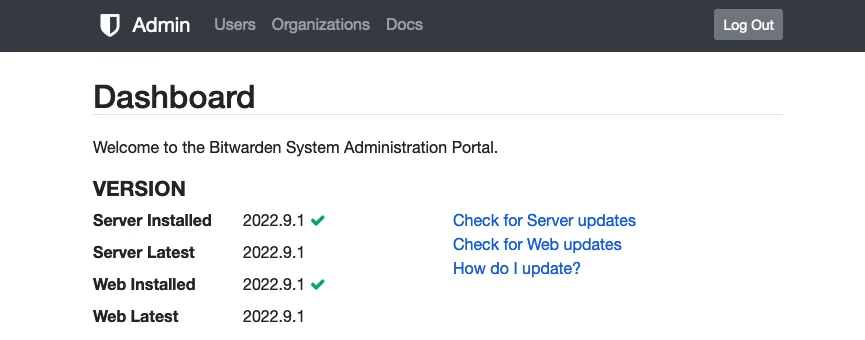
要查找自托管服务器的版本，请登录[系统管理员门户](/docs/self-hosting/system-administrator-portal.md)。**服务器**和 **Web** 的版本将列在仪表盘上。如果**已安装**的版本与**最新**版本不匹配，请[更新您的服务器](/docs/self-hosting/update-a-server.md)：

<div align="left" data-with-frame="true"><figure><img src="https://bitwarden.com/assets/2CakVlacGDcaICXzgQEBH6/c474a0bcc99fc4f739cd3766387263a7/Screen_Shot_2022-09-30_at_9.25.41_AM.png?w=865&#x26;fm=avif" alt=""><figcaption><p>自托管服务器版本</p></figcaption></figure></div>

您也可以检查 `bitwarden.sh`/`bitwarden.ps1` 文件以查看已安装的版本。如果有更新的版本可用，运行 `updateself` 将更新这些文件，运行 `update` 将根据 `.sh`/`.ps1` 文件中列出的内容更新 Bitwarden 容器。

## 客户端版本 <a href="#client-version" id="client-version"></a>

要获取客户端应用程序的版本：

{% tabs %}
{% tab title="浏览器扩展" %}
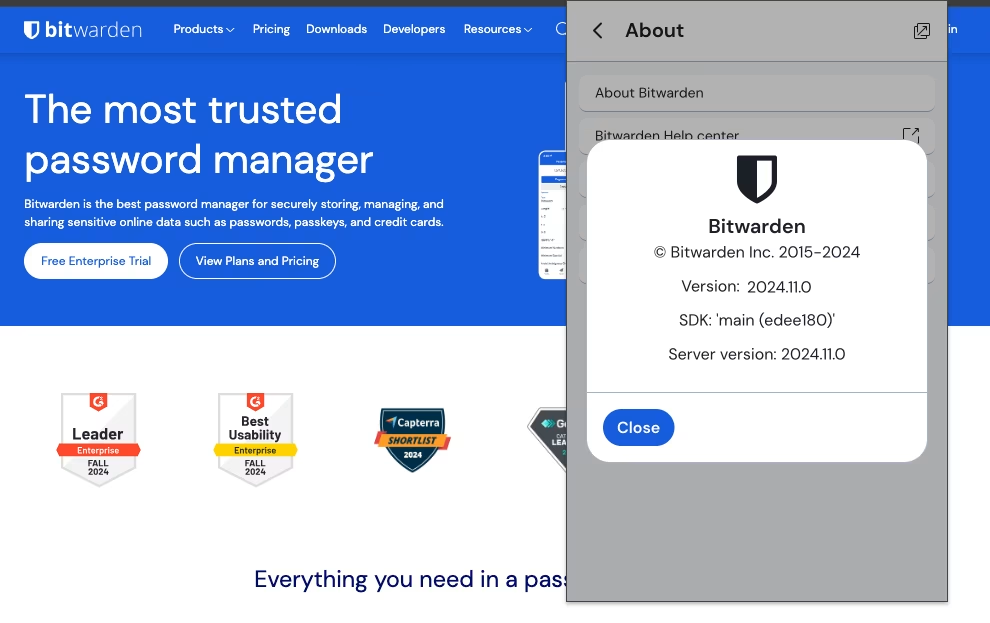
导航到 **⚙️设置**选项卡，然后选择**关于** → **关于 Bitwarden**：

<div align="left" data-with-frame="true"><figure><img src="https://bitwarden.com/assets/4EkEPm8QGo6KCPTCnn4Pg5/090ff5cd26b2fddeedcbddf9edf49e7a/2024-12-04_10-10-53.png?w=990&#x26;fm=avif" alt=""><figcaption><p>浏览器扩展版本</p></figcaption></figure></div>
{% endtab %}

{% tab title="桌面 App" %}
在 Windows 上，选择**帮助** → **关于 Bitwarden**。在 macOS 上，选择 **Bitwarden** → **关于 Bitwarden**：

<div align="left" data-with-frame="true"><figure><img src="https://bitwarden.com/assets/6GOZ3TPKmrnBbol1FWMZSm/8a86c4556ec42170f65538c6598c534e/Screen_Shot_2022-09-29_at_2.52.13_PM.png?w=500&#x26;fm=avif" alt=""><figcaption><p>桌面 App 版本</p></figcaption></figure></div>
{% endtab %}

{% tab title="移动 App" %}
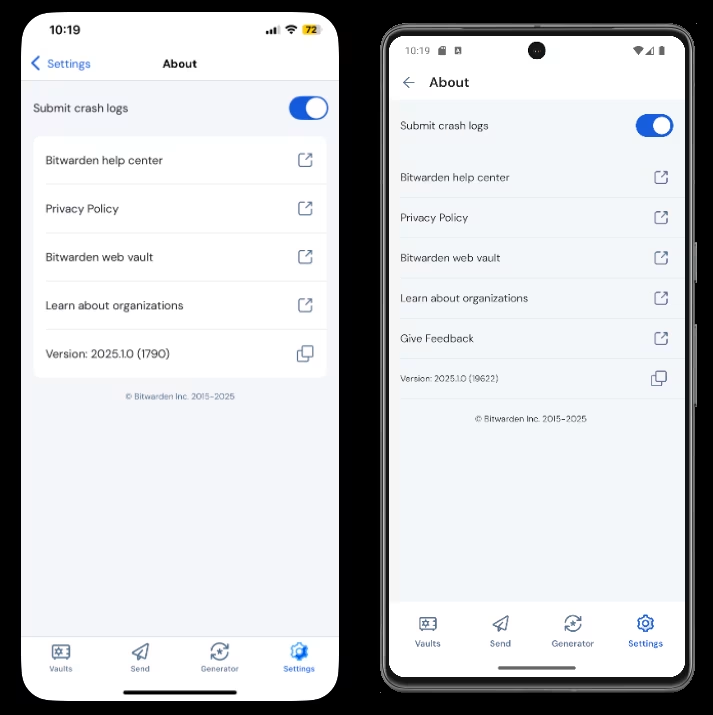
导航到 **⚙️设置**选项卡，然后选择**关于**选项：

<div align="left" data-with-frame="true"><figure><img src="https://bitwarden.com/assets/3zYXLGYrfsJZuGwlT7Vq3v/9db9b271b977e94468cdf04b8cab70f2/2025-01-22_10-19-54.png?w=713&#x26;fm=avif" alt=""><figcaption><p>移动 App 版本</p></figcaption></figure></div>
{% endtab %}

{% tab title="CLI" %}
要将当前版本打印到控制台，请运行以下命令：

```shellscript
bw -v
```

{% endtab %}
{% endtabs %}


---

# Agent Instructions: Querying This Documentation

If you need additional information that is not directly available in this page, you can query the documentation dynamically by asking a question.

Perform an HTTP GET request on the current page URL with the `ask` query parameter:

```
GET https://help.ppgg.in/docs/security/software-development/versioning.md?ask=<question>
```

The question should be specific, self-contained, and written in natural language.
The response will contain a direct answer to the question and relevant excerpts and sources from the documentation.

Use this mechanism when the answer is not explicitly present in the current page, you need clarification or additional context, or you want to retrieve related documentation sections.